Request a new portrait
Here are the steps to request a new character portrait for a gene on Iconoplasm.
Steps 1 to 4 are free and take about 5 minutes. Step 5 is optional: you add your own key from an image provider, so that you can get a portrait in 1-2 minutes and edit portraits.
1. Log in with your Discord account
- Go to iconoplasm.brinedew.bio.
- In the right sidebar, click Discord Login.
- On Discord’s authorization page, click Authorize. You are now redirected back as an authenticated user (your Discord nickname appears in the sidebar).
Your request goes into the free queue, which is open to members of the brinedew.bio Discord. If you see Join Discord in the request dialog, join the server first.
2. Navigate to a gene page
- Go to iconoplasm.brinedew.bio.
- Search for a gene by symbol or name, or browse the archive.
- Click a gene card, or go directly to
/gene/SYMBOL(e.g. iconoplasm.brinedew.bio/gene/INS).
3. Request a free portrait
- Under the current portrait, click the Add portraits button in the bottom right.
- The Free queue tab opens. Each card is one style. It has four portraits drawn in that style, the style number, and the number of blots drawn in it so far.
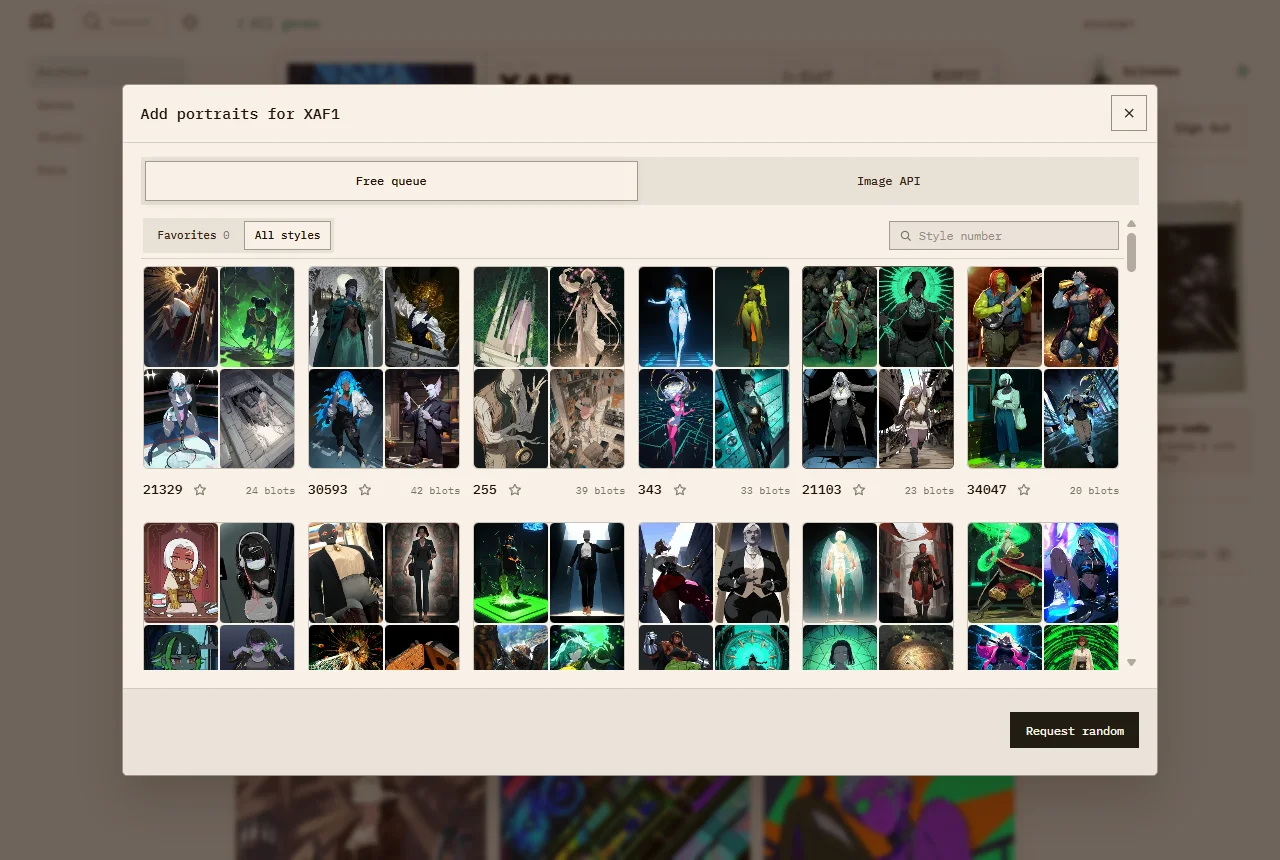
- Click a style card to request a portrait in that style. The card’s corner shows how many you have requested, for example 1 requested. Click Request random in the bottom right to let the queue pick a style.
- Click the star under a card to keep that style in Favorites. Once you have a favorite, Request all favorites appears in the bottom left and requests one portrait in each of them.
- Your request appears under Waiting in the Inbox in the right sidebar. When its portraits are drawn, it moves to Ready: click it to open the gene and see them among its candidates.
4. Vote on candidates
- Click the checkmark (Approve portrait) to upvote a candidate.
- Click the X (Reject portrait) to downvote it.
- The current portrait is the one with the highest approval score.
5. Use your own key for an image service (optional)
Portraits from the free queue are drawn in turn. With your own key you get a portrait in 1-2 minutes, and you can edit portraits.
- Get an API key from one of the providers.
- Generate with your own key.
- Edit a portrait with your key.